> For the complete documentation index, see [llms.txt](https://docs.element.market/welcome-to-element/llms.txt). Markdown versions of documentation pages are available by appending `.md` to page URLs; this page is available as [Markdown](https://docs.element.market/welcome-to-element/forcreators/launchpad/drop-creator-support/part-1-deploy-nft-contract.md).
# Part 1: Deploy NFT Contract
### Prerequisite
* Ensure you have created a wallet and funded it with cryptocurrency on your chosen blockchain. Additionally, make sure your wallet is connected to Element.
### Deploy Your NFT Contract
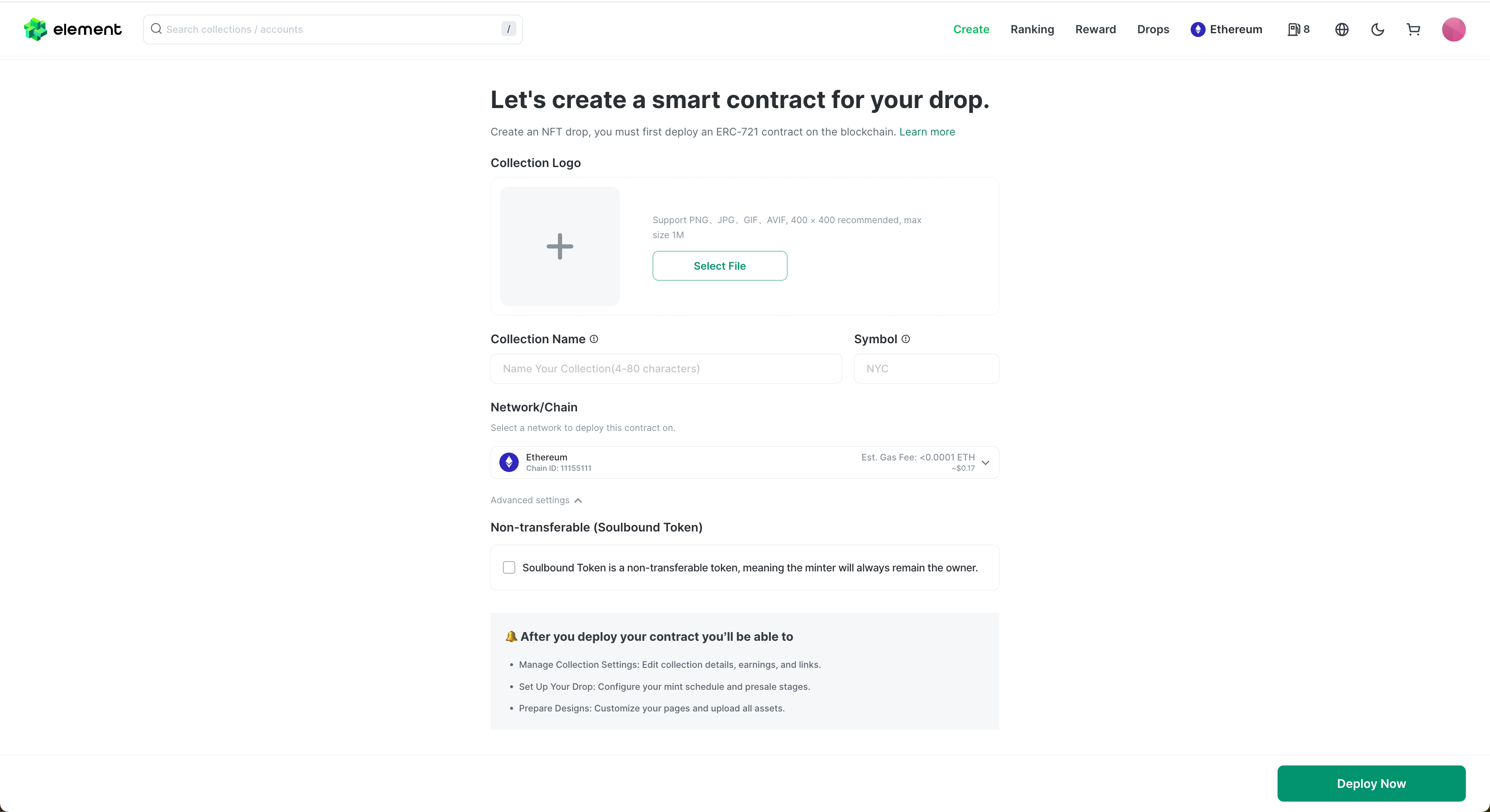
* Click the "Create" button on the top navigation bar. If your wallet is connected, you will see the deploy contract form.
* To deploy an NFT collection, provide the following: "Collection Name," "Collection Logo," and "Collection Symbol." Select a blockchain and ensure your wallet has sufficient funds to cover the gas fees for deployment.
* Then, click the "Deploy Now" button and sign in your wallet.
Deploying the contract will take some time. If you accidentally close the window, you can find the deployed contract in "My Collections" after the deployment is successful.
If the contract is successfully deployed, you'll see the success screen:
**How to Find Your Collection:** Click the "My Profile" button at the top right, and choose "My Collections" option.
#### Advanced Settings
* Non-transferable (Soulbound Token)
* Soulbound Token is a non-transferable token, meaning the minter will always remain the owner. If your project is a Soulbound Token, please check this option.